 Pressleaf
PrintFriendly alternative: clean PDFs made on your own computer
Short answer: Pressleaf is a free PrintFriendly alternative for Chrome that removes menus, ads, cookie banners and sticky bars, then saves the page as a PDF using Chrome’s own print engine on your computer. No account, no watermark, no daily limit — and it has no access to your sites until you click it.
About PrintFriendly
PrintFriendly is the long-standing name in clean printing: its store listing shows 1,000,000 users and a 4.6 rating from 5.6K ratings, last updated October 3, 2026. It has grown into a toolbox — print and PDF, a PDF editor, full-page screenshots, saving to Dropbox, Google Drive and Zotero, and AI chat support. If you want one focused tool for clean PDFs, Pressleaf is built for exactly that.
Why people choose Pressleaf
- Made by Chrome itself. The PDF comes from Chrome’s own print engine, so text stays selectable and math, code and non-Latin scripts look like they do on screen.
- Works on pages behind a login. It prints the page you are looking at, in your browser — nothing is re-downloaded by a server.
- Three modes. Article (just the story), Whole page (minus pop-ups and sticky bars) or Chat (full ChatGPT, Claude or Gemini conversations).
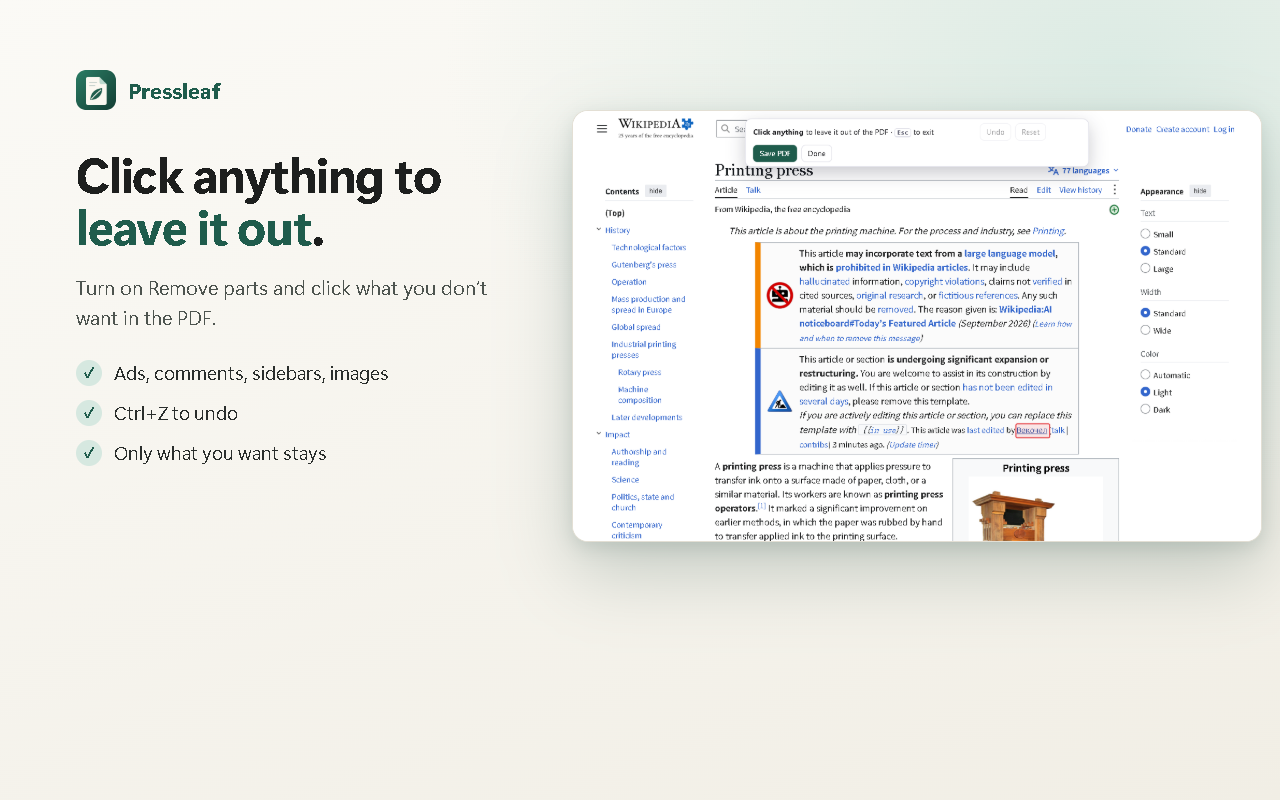
- Click to remove any part of a page before saving; paper size, margins and text size options; dark pages printed light.
- Free and unlimited. Pro is optional — $19 once or $9 / year — for one-click saving, saving all tabs, headers and footers, and file names, on up to 5 browsers.
Want the full feature-by-feature table? See Pressleaf vs PrintFriendly.
Questions
What is the best free alternative to PrintFriendly?
If you mostly use PrintFriendly to remove clutter and save pages as PDF, Pressleaf does that for free with no limit, no watermark and no account. It also saves full ChatGPT, Claude and Gemini conversations.
Does Pressleaf edit PDFs or take screenshots?
No. Pressleaf turns pages into clean PDFs (or Markdown). If you need a PDF editor, full-page screenshots or saving to Dropbox, Google Drive or Zotero, PrintFriendly lists those features.
What permissions does Pressleaf ask for?
None for your sites at install: it reads a page only after you click (activeTab). The Pro option to skip the print window asks for Chrome’s debugger and downloads permissions, only when you turn it on.
Try Pressleaf
Pressleaf is a Chrome extension that saves web pages and AI chats as clean PDFs. It removes menus, ads and pop-ups, unrolls long ChatGPT, Claude and Gemini conversations, and prints with Chrome’s own engine on your computer, so text stays selectable and logged-in pages work. Unlimited and free; Pro adds one-click and batch saving.
Free: unlimited PDFs, no watermark, no account. Pro: $19 once or $9 / year.
Coming soon to the Chrome Web StorePrintFriendly is a trademark of its owner. Pressleaf is not affiliated with PrintFriendly.