 Pressleaf
How to save a ChatGPT conversation as PDF (the whole chat, free)
Short answer: open the conversation, click Pressleaf (or press Alt+Shift+P), choose Chat and press Save as PDF. Pressleaf copies every turn — your messages and the replies, labelled — into a clean page, drops the sidebar and message box, and has Chrome save it as a PDF with selectable text. It is free, with no daily limit and no watermark.
Step by step
- Install Pressleaf and pin it from Chrome’s puzzle-piece menu.
- Open the ChatGPT conversation you want to keep.
- Click the Pressleaf icon. It detects the chat and selects Chat mode.
- Press Save as PDF. In Chrome’s print window choose Save as PDF (Chrome remembers it). Pressleaf Pro skips this window and saves straight to Downloads.
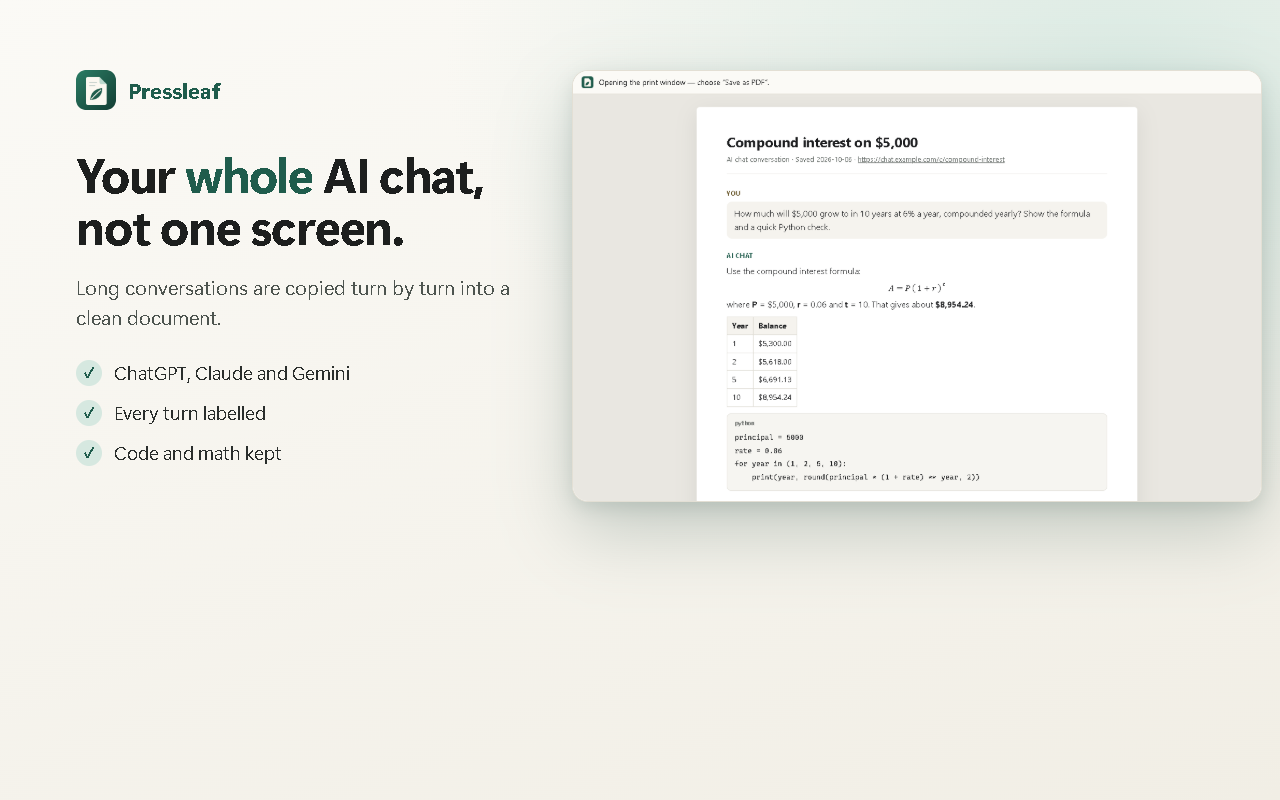
What the PDF keeps
- The whole conversation, with earlier messages loaded first.
- Code blocks and math formatted as on screen; tables and lists intact.
- Selectable, searchable text — it is printed by Chrome, not pasted in as a screenshot.
- Dark mode turned to light colors so it prints cleanly.
Prefer plain text? Press Save Markdown instead.
Other ways to save a ChatGPT chat
| Method | PDF of one chat | Free limit |
|---|---|---|
| Pressleaf | Yes | Unlimited, no watermark |
| ChatGPT Export data | No — ZIP of all chats as JSON, by email | — |
| ChatGPT Exporter | Yes | 3 PDF exports per day; paid plans $1.99 or $2.99 per month, billed yearly (pricing) |
| AI Exporter | Yes | 3 free PDF quotas per day, per its store listing |
| Chrome Print → Save as PDF | Yes, as the page looks | Unlimited; sidebar and part of the chat may be cut |
Questions
Does ChatGPT have a built-in PDF export?
ChatGPT’s Export data option (Settings → Data controls) emails you a ZIP of your whole history with conversations as JSON files; OpenAI says it can take up to 7 days and the link expires after 24 hours. It does not make a PDF of a single chat.
Why does Ctrl+P not print the whole ChatGPT conversation?
On AI chat sites the conversation usually sits inside its own scrolling box, next to a sidebar and a message box. Printing the page as it is can leave out part of the chat and keep the clutter. Pressleaf copies every turn into a clean document first, then prints it.
Can I save Claude and Gemini chats too?
Yes. Pressleaf recognises ChatGPT, Claude and Gemini conversations. On other sites, Whole page mode still removes pop-ups and sticky bars.
Is there a daily limit or a watermark?
No. Pressleaf is free with no daily limit, no watermark and no account.
Is my conversation uploaded?
No. The PDF is made by Chrome on your computer. Pressleaf reads the page only after you click it.
Try Pressleaf
Pressleaf is a Chrome extension that saves web pages and AI chats as clean PDFs. It removes menus, ads and pop-ups, unrolls long ChatGPT, Claude and Gemini conversations, and prints with Chrome’s own engine on your computer, so text stays selectable and logged-in pages work. Unlimited and free; Pro adds one-click and batch saving.
Free: unlimited PDFs, no watermark, no account. Pro: $19 once or $9 / year.
Coming soon to the Chrome Web StoreChatGPT is a trademark of OpenAI. Pressleaf is not affiliated with OpenAI, ChatGPT Exporter or AI Exporter. Facts about other tools come from their own pages, checked 2026-10-06.