 Pressleaf
How to save a web page as PDF without ads
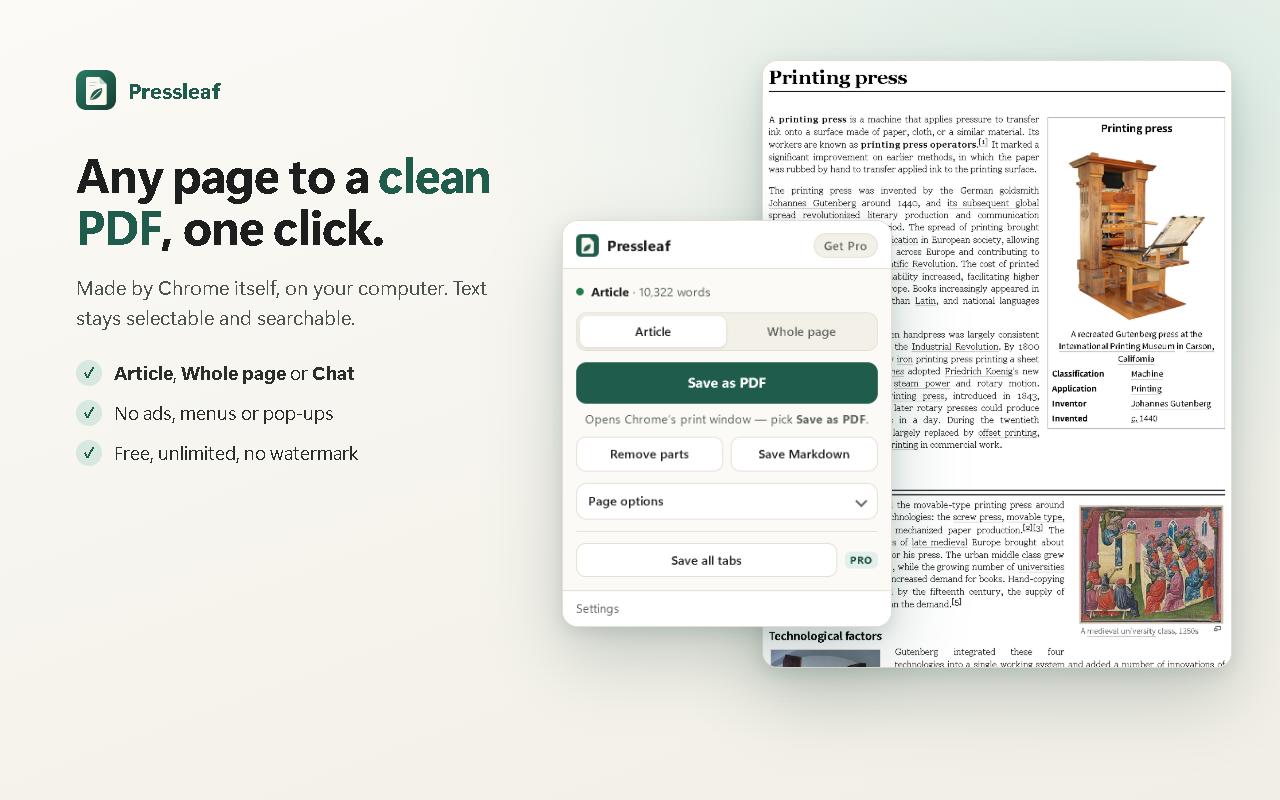
Short answer: use Pressleaf. Click its icon on the page, choose Article and press Save as PDF — you get the headline, text, images, tables and code without menus, ads, comments or “read next” boxes. Need everything else on the page? Whole page keeps it all but drops cookie banners, pop-ups and sticky bars.
Step by step
- Open the page and click the Pressleaf icon (or press Alt+Shift+P, or right-click → Pressleaf).
- Choose Article for just the content, or Whole page for the full layout minus pop-ups.
- Optional: click Remove parts and click anything else you don’t want.
- Press Save as PDF and pick Save as PDF in Chrome’s print window.
What Pressleaf cleans up
- Navigation menus, ads, cookie banners, pop-ups and sticky headers
- Lazy images loaded before printing, so pictures aren’t blank
- Dark pages printed in light colors
- Paper size (Letter, A4, Legal), margins and text size, images on or off
Pressleaf vs Chrome’s built-in Save as PDF
| Chrome Print → Save as PDF | Pressleaf | |
|---|---|---|
| Ads, menus, banners | Printed as they are | Removed |
| Article-only mode | — | Yes |
| Click to remove parts | — | Yes |
| Dark pages | Printed as on screen | Printed light |
| Selectable text | Yes | Yes — same Chrome print engine |
| Price | Free | Free |
Questions
Why does Chrome’s Save as PDF include ads?
Chrome’s Print → Save as PDF prints the page as it is, so ads, menus, cookie banners and sticky headers come along — sticky bars can even repeat on every page.
What if something unwanted is still there?
Turn on Remove parts and click it — a comment thread, a banner, an image. It is left out of the PDF. Ctrl+Z brings it back.
Will the links and text still work?
Yes. The PDF is printed by Chrome, so text stays selectable and searchable.
Does it cost anything?
No. Saving clean PDFs is free with no daily limit, no watermark and no account.
Try Pressleaf
Pressleaf is a Chrome extension that saves web pages and AI chats as clean PDFs. It removes menus, ads and pop-ups, unrolls long ChatGPT, Claude and Gemini conversations, and prints with Chrome’s own engine on your computer, so text stays selectable and logged-in pages work. Unlimited and free; Pro adds one-click and batch saving.
Free: unlimited PDFs, no watermark, no account. Pro: $19 once or $9 / year.
Coming soon to the Chrome Web Store